NDIP - Home Page
The associated wireframe is here: Garnet Wireframe Home.
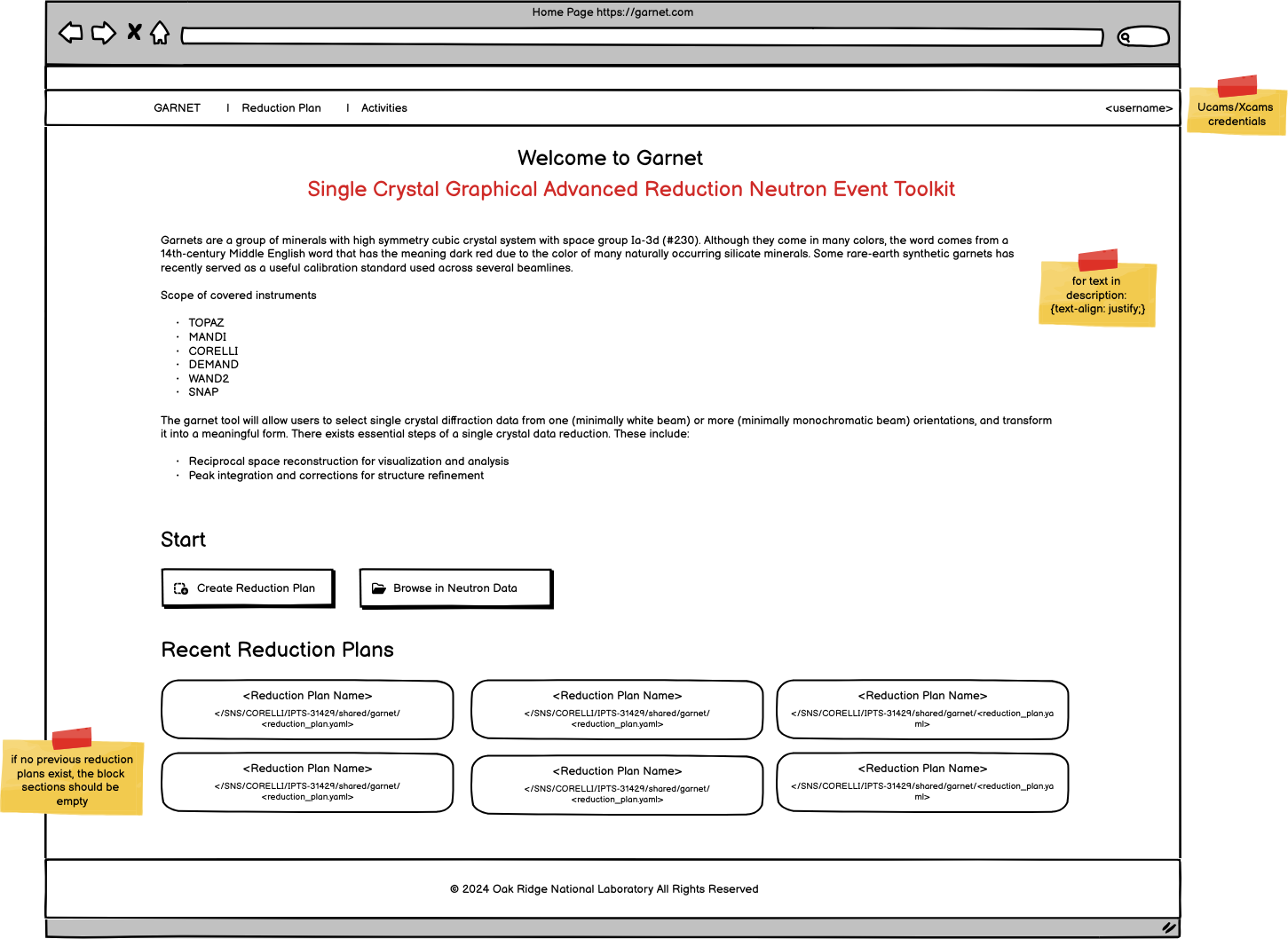
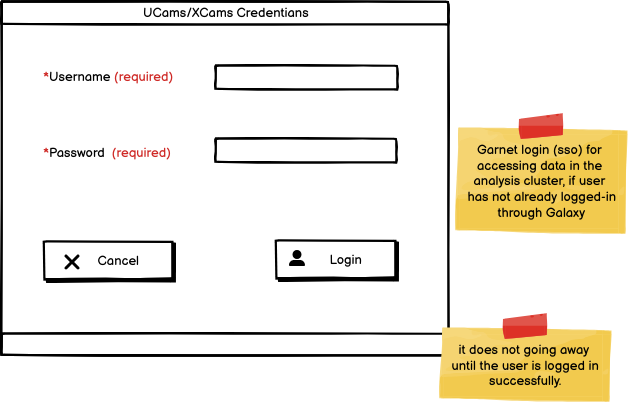
The home page does not contain any forms. It appears, if the user has already logged with their UCams/XCams credentials throuh SSO. If the user has not logged in, it is handled through the SSO authentication service (Non Logged-In) and the user cannot enter the Garnet web app.
The home webpage contains a menu bar (SiteMap) with the user’s username and a footer block that are consistent in every page. The layout is wide. The following elements are in the main block:

Title
Subtitle
Application short description
Start block with two buttons
Recent Reduction Plans block with up to six (6) buttons
Start Block
The block contains links/buttons to start using the application. These are:
“Create Reduction Plan” button: When the user clicks the button, they are redirected in the Reduction Plan page in Create mode.
“Browse in Neutron Data” button: When the user clicks the button, a filebrowser pops-up with the (server) remote filesystem that has acces to the neutrons data storage. The user selects a reduction plan file and they are redirected in the Reduction Plan page in Create/Edit mode depending on the validation. The parameters are populated from the reduction plan file.
Recent Reduction Plans Block
The block contains up to six most recent user’s reduction plans, if they exist, for the user to select and navigate to them immediately.
Recent Reduction Plan <i>: When the user clicks the button, they are redirected in the Reduction Plan page in Create/Edit mode depending on the validation. The parameters are populated from the reduction plan file. Same as the Browse button.
The “Recent” Reduction Plans (filepaths and names) are stored for each user through Galaxy or database or similar. If there are no recent plans, no buttons are shown.
More details on loading a reduction file from a file are provided in NDIP - Reduction Plan.